


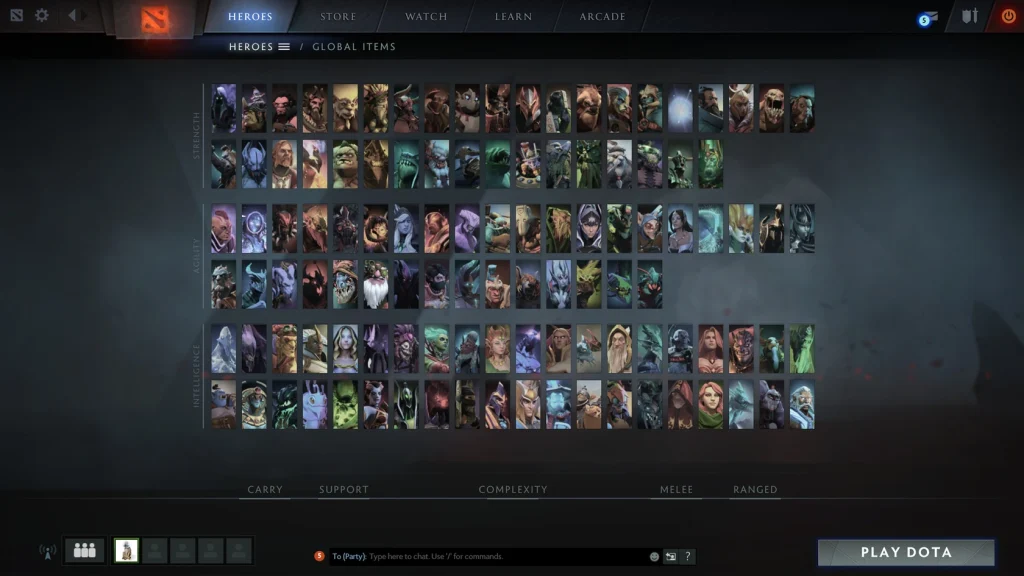
Dota 2 uses several different identifiers. A Match ID belongs to one completed game. A Steam ID identifies an account. The Friend ID shown in Dota is a shorter account number used for adding players inside the client.
Choose the correct number before sharing it. A support request about one game needs the Match ID. A friend invitation normally needs the Friend ID. Never share a password, login code, recovery code, or Steam Guard confirmation.
Find the Match ID after a game
Open your Dota profile and select Match History or Recent Games. Choose the required match. The overview page displays a long numeric Match ID, usually near the match details.
Copy the entire number without spaces. Compare the hero, result, duration, and start time before sending it. Two matches played close together can look similar in a short history list.
The post-game screen also shows the Match ID in its details area. Take a screenshot if you need to report a bug and the match may leave the recent list later.
Search for a replay by Match ID
Open Watch and then Replays. Paste the Match ID into the search field and submit it. If the replay is still available, the client shows the match page and a download option.
Replay files are not stored forever. A valid Match ID can continue to identify a game after its replay download expires. Tournament and very high MMR matches may also have access restrictions under current rules.
If the client finds the match but cannot download the replay, wait and try again. Recent tournament replays can take time to process. Do not download an unknown executable that claims to restore a replay.
| Identifier | What it identifies | Where to find it |
|---|---|---|
Match ID |
One completed Dota 2 game | Post-game details or Match History |
Friend ID |
A Dota account for friend requests | Dota profile and Add Friend panel |
SteamID64 |
A Steam account | Numeric Steam profile address |
Lobby ID |
A temporary game lobby | Lobby details before or during the session |
Find your Dota Friend ID
Open the Dota profile panel and choose Add Friend. The client shows your Friend ID near the search or invitation area. This number is designed for Dota friend requests.
Send the Friend ID to the person who needs to add you. Confirm the account name and avatar before accepting the request. Similar display names do not prove that an account belongs to the expected player.
A Friend ID is not a secret password, but it still identifies the account. Post it publicly only when you are comfortable receiving requests from unknown players.
Find the Steam profile ID
Open Steam and view your profile. Copy the profile address. A default numeric profile URL contains the 64-bit Steam ID. A custom profile URL uses a chosen name instead of the number.
Steam account details and developer tools can expose other account forms. They are related but not always interchangeable. A website may ask for SteamID64, account ID, or Dota Friend ID specifically.
Use only trusted services when entering a profile identifier. Steam login should open on an official Steam domain. Never enter Steam Guard codes into a random statistics page.
Use Match IDs in statistics tools
A statistics service can parse a public match when the required data is available. Paste the Match ID into the service’s match search, not its player search. The page can show picks, item timings, objectives, and other recorded events.
Private profile settings can limit account history. High-level Immortal matches above the current protected threshold may not appear in public history or web APIs. A missing page does not prove that the Match ID is wrong.
For a bug report, include the Match ID, patch, game time, hero, and a short description of the event. This is more useful than sending only a replay link.
Avoid common ID mistakes
Do not confuse the lobby ID with the completed Match ID. A lobby is temporary, while the match receives its own permanent number after the game is created.
Do not remove digits because the number looks too long. Paste it as plain text. When a form rejects the number, confirm that it expects a Match ID rather than SteamID64.
Keep account security separate from public identifiers. Valve support will not need your password or Steam Guard code to inspect a Match ID.
 EN — English
 RU — Русский
Comments (0)