


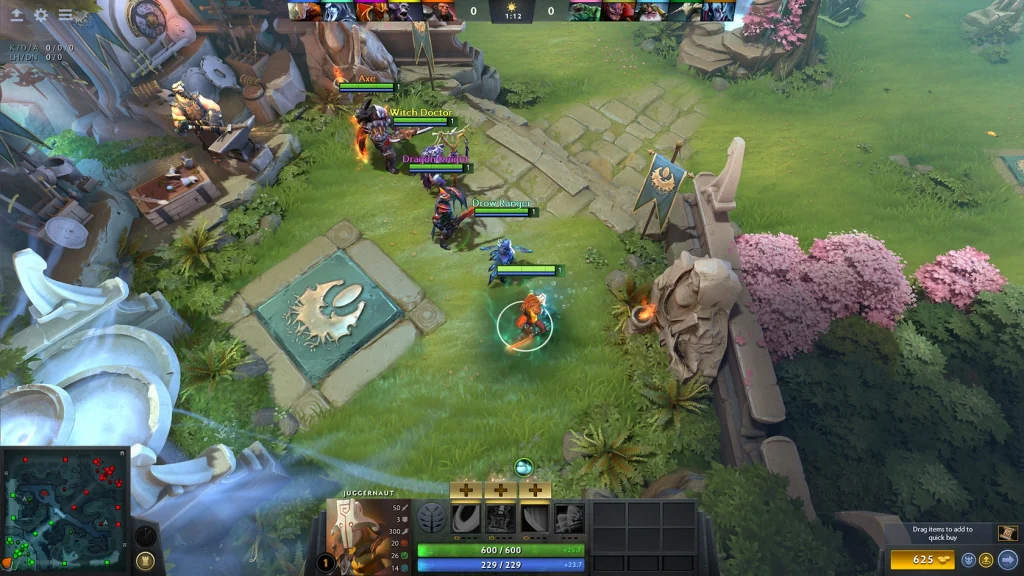
A Dota 2 hero normally turns toward a move target and then starts walking. Directional movement changes that behavior. It lets the player choose the facing direction more directly, which can make the hero turn in a small space.
This is a positioning tool, not a speed boost. The hero still has a turn rate and remains subject to roots, stuns, leashes, and terrain rules. Practice the input in a demo session before using it in a live match.
Enable directional movement
Open Settings, then Hotkeys and Advanced Hotkeys. Find the directional movement or move-to-direction action. Assign a key that can be held comfortably while using the right mouse button.
If the menu option is unavailable on an older layout, open the developer console and enter dota_unit_allow_moveto_direction 1. Restart the demo session after changing the value. Modern clients usually expose the action in the hotkey menu.
Directional movement should not replace the normal move command. Keep both inputs. Normal movement handles pathfinding around trees and cliffs, while directional movement follows the chosen facing direction more strictly.
Turn without taking a normal path
Hold the directional movement key and issue short move commands around the hero. Place the cursor close to the model and move it around a small circle. The hero changes facing with very little travel when the commands are close enough.
Use deliberate inputs instead of rapid random clicks. Every hero has a turn rate, so the model cannot face every direction instantly. A slow-turning hero needs more time than a fast-turning hero.
Press Stop after the hero reaches the required angle. This prevents an extra step. The Stop command also cancels many queued orders, so confirm that you are not interrupting an important attack or spell.
When facing direction matters
Facing can affect preparation for a movement spell or item. A hero that already faces the escape direction spends less time turning before the next order. The difference is small but visible in close fights.
Directional movement can also help position for a friendly Force Staff. It allows the player to face a safer route without asking normal pathfinding to walk around a nearby obstacle. The ally still needs correct timing and range.
Some abilities use a cast point or their own movement rules. Turning the hero does not remove those limits. Test the exact hero and ability rather than assuming every movement spell behaves the same way.
| Input | Behavior | Best use |
|---|---|---|
| Normal move | Uses regular pathfinding | Move through lanes and around obstacles |
Directional movement |
Follows the selected facing direction | Precise positioning in a small area |
| Stop | Cancels the current action | Prevents an unwanted extra step |
| Hold position | Stops movement but keeps position | Protects a precise location |
Limits and common mistakes
Directional movement can send a hero into an obstacle because it does not solve every path in the normal way. Release the modifier and use a regular move command when crossing a complicated group of trees or units.
Do not spin during an attack when the next attack is already ready. Repeated movement orders can cancel the attack animation before the hit is released. The same mistake can interrupt channeling and carefully queued actions.
The technique does not dodge a targeted spell by itself. It only changes movement and facing. Survival still depends on distance, vision, disables, and the actual spell rules.
A short practice routine
Enter Demo Hero and place the hero near a tree line. Turn toward four different directions without walking more than a small step. Then repeat the drill after buying a Force Staff and adding an enemy dummy.
Next, compare a normal right-click order with directional movement. Watch how pathfinding changes the route. Practice returning to normal movement immediately after the turn.
Finish by testing the hero’s own mobility spell. Record which direction the spell uses and whether it requires a separate target. Five careful minutes provide more value than copying a fast input without understanding it.
 EN — English
 RU — Русский
Comments (0)